
Home screen and weather
Choose what your parent sees first: date and time, weather for a ZIP code, call buttons and text size.
On the phone
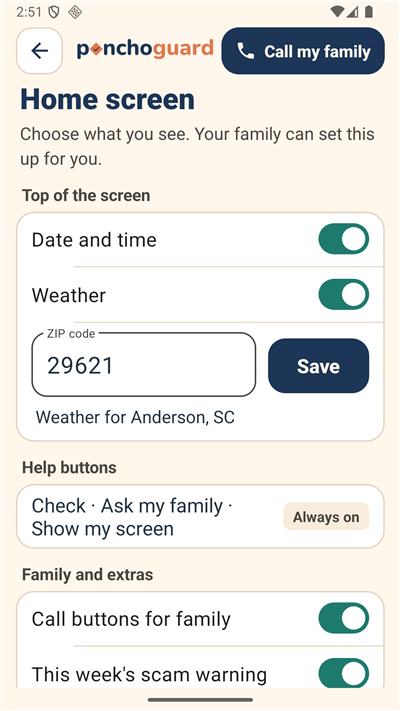
- Open Settings, then Home screen.
- Under Top of the screen, turn Date and time and Weather on or off.
- Type a 5-digit ZIP code and tap Save. You see "Weather for" and the town.
- Under Family and extras, choose Call buttons for family and This week's scam warning.
- Under Text size, pick Large, Larger or Largest.
A helper can set it up
- In the family dashboard, open Settings.
- Under Their phones and computers, choose Home screen.
- Make the same choices for your parent. Their phone shows them next time it opens.
The buttons Check a message, Ask my family and Show my screen are always on. The weather comes from the National Weather Service.