
Ask my family (Cosign)
Before you pay or share anything, a family helper takes a look. You still decide.
For the parent
- On the home screen, tap Ask my family.
- If you like, fill in How much?, To whom? and Anything else? All three are optional.
- Tap Ask my family. You see: "We asked your family to look. It is fine to wait."
- Wait for a helper to answer, or to call you. If nobody answers in 10 minutes, PonchoGuard asks the next helper.
For the helper
- You get a notice, an email or a text with a link. The link works for 30 minutes.
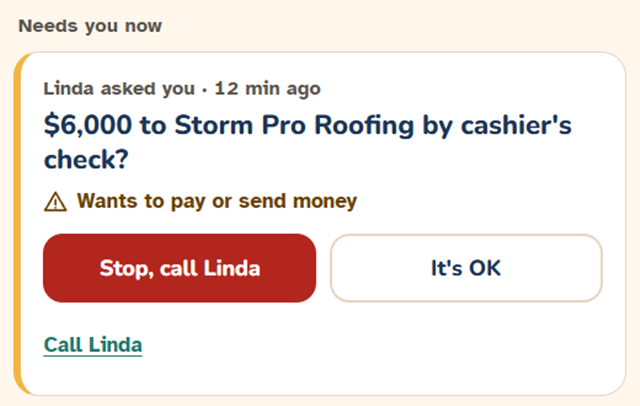
- Read what your parent wants to do and what PonchoGuard noticed.
- Press Stop, call me to ask them to wait and talk to you. Or press Approve (in the app: It's OK) and confirm.
- Call your parent. A short call is the best help.
Your answer is advice. It does not move or stop any money. The parent always has the final say.